Delay time and tempo: the arithmetic
One division sets every delay time you will ever need. Nobody publishes the table, so here it is.
Fret & Fuzz earns a commission when you buy through the links on this page. It costs you nothing and it does not decide what we rank. How we’re funded.
We have not played this gear. Every pick below is chosen from published manufacturer specifications and the arithmetic set out in how we research, which you can re-run yourself.
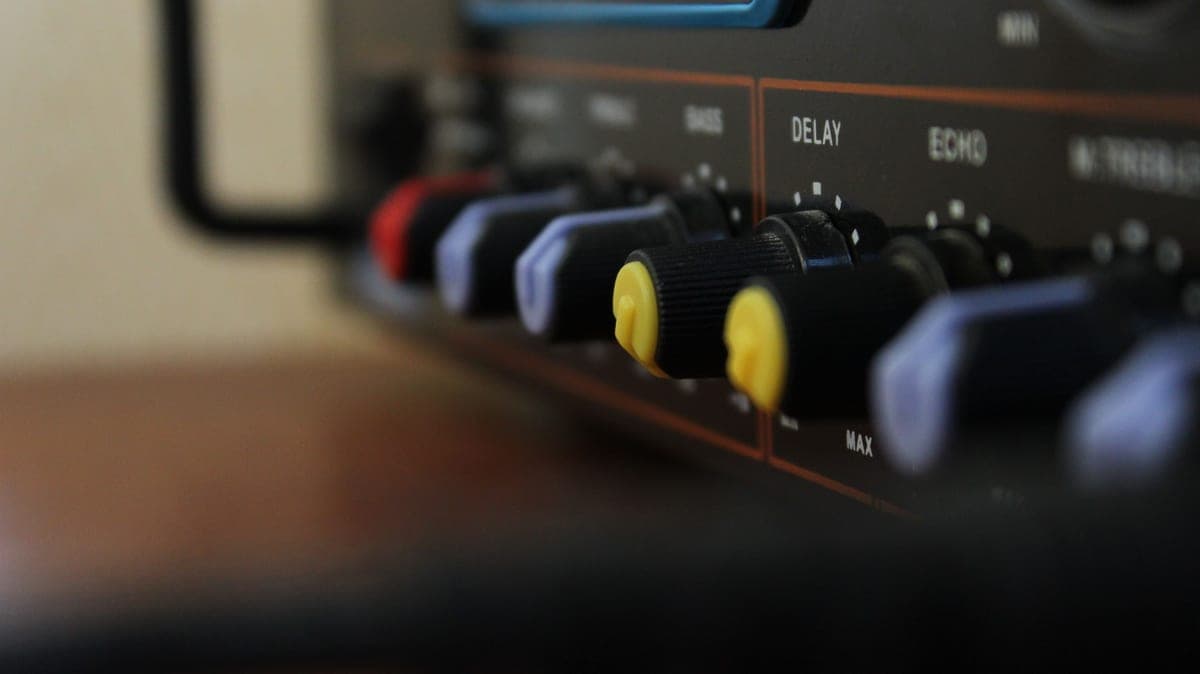
A quarter note in milliseconds is 60,000 divided by the tempo in beats per minute. An eighth note is half that. A dotted eighth — the setting most people are actually looking for — is three quarters of the quarter-note value. At 120 bpm: quarter = 500 ms, eighth = 250 ms, dotted eighth = 375 ms.
That is the entire calculation and it is worth committing to memory, because it turns a delay pedal from something you set by ear into something you set correctly in one move.
01Where the formula comes from
There are 60,000 milliseconds in a minute. Tempo is beats per minute. So milliseconds per beat is 60,000 divided by the tempo — that is a quarter note at any standard time signature.
- Quarter note = 60,000 / bpm
- Eighth note = 30,000 / bpm (half a quarter)
- Dotted eighth = 45,000 / bpm (three quarters of a quarter)
- Sixteenth note = 15,000 / bpm
- Triplet eighth = 20,000 / bpm
02The table
| Tempo (bpm) | Quarter (ms) | Eighth (ms) | Dotted eighth (ms) | Sixteenth (ms) |
|---|---|---|---|---|
| 60 | 1000 | 500 | 750 | 250 |
| 70 | 857 | 429 | 643 | 214 |
| 80 | 750 | 375 | 563 | 188 |
| 90 | 667 | 333 | 500 | 167 |
| 100 | 600 | 300 | 450 | 150 |
| 110 | 545 | 273 | 409 | 136 |
| 120 | 500 | 250 | 375 | 125 |
| 130 | 462 | 231 | 346 | 115 |
| 140 | 429 | 214 | 321 | 107 |
| 150 | 400 | 200 | 300 | 100 |
| 160 | 375 | 188 | 281 | 94 |
| 180 | 333 | 167 | 250 | 83 |
Rounded to the nearest millisecond. Any delay pedal's resolution is finer than the difference these roundings make.
Pedals that make the arithmetic easy or unnecessary
| # | Product | Best for | Price |
|---|---|---|---|
| 01 | 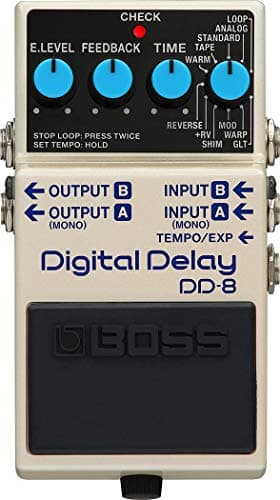 BOSS DD-8 Digital Delay Tap the tempo in and the pedal computes the subdivision for you. | Tap tempo, so you never do the arithmetic live | |
| 02 | No photo TC Electronic Flashback 2 Delay A dedicated subdivision selector, so quarter, eighth and dotted-eighth are a knob position rather than a calculation. | Subdivision selection on the front panel | |
| 03 | 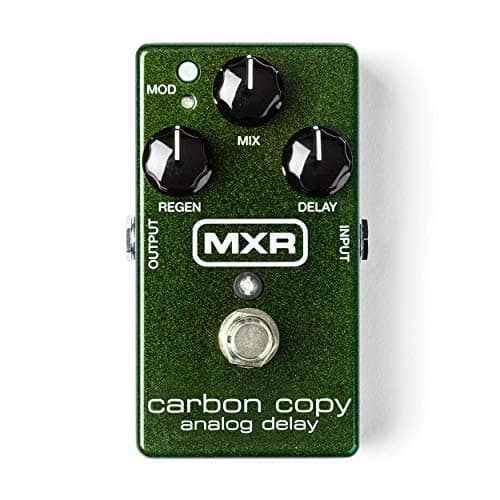 MXR Carbon Copy Analog Delay No tap tempo and no subdivision selector — you set the Delay knob by ear against the song. | Setting a time by ear, within 600 ms | $159.99 · Check price #ad How we’re funded · price as of October 17, 2026 |
Rows link to the full write-up further down this page. Prices come from the live price layer only — where there is no live figure the button reads “Check price” rather than showing a remembered number.
04Why the dotted eighth is the famous one
A dotted-eighth delay repeat lands between the beats in a way that fills the gaps in a straight-eighth part without doubling it. Play quarter notes with a dotted-eighth delay and the repeats interleave to produce a running eighth-note pattern that neither hand is playing.
That is why it is the setting behind a great many arena-sized guitar parts, and it is also why it stops working immediately if the delay time is wrong by more than a few percent. This is the case where the arithmetic matters most.
BOSS DD-8 Digital Delay
Tap tempo, so you never do the arithmetic live
The numberUp to 10 seconds of delay, which covers every tempo and subdivision on this page.
Tap tempo is the practical reason to buy a digital delay. Tapping quarter notes during a count-in sets the delay time exactly, and the pedal handles the subdivision.
Up to 10 seconds means no tempo is too slow for a dotted-eighth setting — a 40 bpm dotted eighth is 1,125 ms and this pedal is nowhere near its ceiling.
100 mA, and a 3.5-hour battery life that makes battery power a backup rather than a plan.
| Modes | 11 — Analog, Standard, Tape, Warm, Reverse, +RV, Shimmer, Mod, Warp, GLT, plus Loop |
|---|---|
| Maximum delay | Up to 10 seconds, with tap tempo |
| Controls | Mode, Time, Feedback, E.Level, Carryover switch, pedal switch |
| Current draw | 100 mA |
| Battery life | Approx. 3.5 hours on alkaline |
| I/O | True stereo in and out, with three selectable output modes |
| Weight | 440 g including battery |
| What it does not do | No adaptor included. At 100 mA it is not a pedal you daisy-chain casually, and the 3.5-hour battery figure means battery power is a backup, not a plan. |
Specs from BOSS DD-8 specifications. We have not used this unit.
TC Electronic Flashback 2 Delay
Subdivision selection on the front panel
Setting the subdivision at the pedal rather than by computing a millisecond value is the difference between changing delay feel mid-set and not bothering.
The MASH footswitch is pressure-sensitive and can be mapped to a parameter, which for delay usually means feedback or mix under your foot.
TC publishes no electrical figures, so plan the power budget conservatively.
| Controls | Delay, Feedback, Level, delay-type selector, subdivision selector |
|---|---|
| Tap tempo | MASH pressure-sensitive footswitch doubles as tap and as an expression control |
| Presets | TonePrint slots loaded over USB or by holding the guitar to the pickup |
| Power | 9 V DC center-negative |
| Electrical data | No current-draw or impedance figure is published for this pedal, so none is stated here. |
| What it does not do | No power supply included. The TonePrint system needs a phone or a computer to be worth anything — out of the box you get the front-panel modes only. |
Specs from TC Electronic Flashback 2 product page. We have not used this unit.
MXR Carbon Copy Analog Delay
Setting a time by ear, within 600 ms
The number600 ms ceiling, which covers a quarter note at 100 bpm and above.
Without tap tempo you are matching the repeat to the song by ear, which is a real skill and is not difficult for slapback settings where precision matters least.
The 600 ms ceiling is the binding constraint: a quarter note at 90 bpm is 667 ms and this pedal cannot reach it. Dotted eighths above about 120 bpm are comfortably within range.
For the short-repeat settings it is designed for, the missing tap tempo is barely a limitation.
| Maximum delay | 600 ms |
|---|---|
| Controls | Delay, Mix, Regen, plus a modulation footswitch |
| Modulation | Two internal trim pots set modulation width and rate |
| Signal path | All-analog bucket-brigade delay |
| Bypass | True bypass |
| Power | 9 V battery, Dunlop ECB003 adapter, or a DC Brick / Iso-Brick supply |
| Current draw | Not published by Dunlop |
| What it does not do | 600 ms is the ceiling — there is no tap tempo, no presets, and no way to get a long ambient wash out of it. Repeats darken by design and cannot be made bright. |
Specs from MXR Carbon Copy product page. We have not used this unit.
#ad How we’re funded · price as of October 17, 2026
05Slapback, which needs no arithmetic
Slapback is a single short repeat between roughly 80 and 150 ms, set by ear rather than to tempo. It reads as thickening rather than as a discrete echo, and because it is not tempo-locked it works at any speed.
That is squarely analog-delay territory, and it is why an analog delay with a 600 ms ceiling and no tap tempo is a complete pedal for a lot of players.
06Feedback, and how many repeats you want
The Feedback control sets how much of the output is fed back to the input, which decides how many repeats you hear. Low settings give one or two; high settings approach self-oscillation.
For a rhythmic part, two or three audible repeats is usually the ceiling before the delay starts competing with what you are playing. For ambient washes, high feedback is the point. There is no arithmetic here — it is a taste setting, and one of the few on this site we will say so about. The style that leans hardest on this arithmetic is covered in best pedals for worship music, where a dotted-eighth part that is off by a few percent is audible to everyone in the room. Chorus vs phaser covers the other two modulation effects and the mechanism that separates them. If you would rather tap the tempo than calculate it, best tap tempo delay pedals covers the pedals that let you choose the subdivision as well.
Frequently asked questions
+ How do I calculate delay time from tempo?
+ What is the dotted eighth delay setting at 120 bpm?
+ How long should a slapback delay be?
+ Do I need tap tempo?
Sources
Related on Fret & Fuzz
Best tap tempo delay pedals
Tap tempo is useless without a subdivision switch. Three picks compared on published divisions, time and draw.
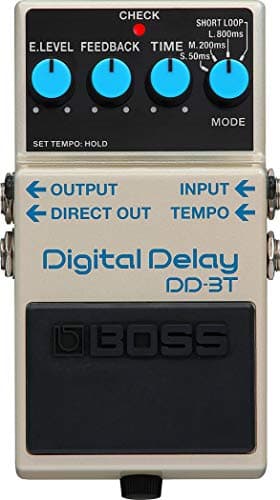
Best Tap Tempo Delay pick: BOSS DD-3T Digital Delay

Best guitar pedals for worship music
Delay first, reverb second, gain last. Five picks judged on tap tempo, ducking reverb and blend — plus the pedal that gets bought for this and should not.
Best for Worship pick: BOSS DD-8 Digital Delay
Best delay pedals
Maximum delay time and current draw settle most of this category. Four delays on their published figures.
Best Delay pick: BOSS DD-8 Digital Delay
Analog vs digital delay
Why analog repeats darken, what the published time ceilings are, and which format your parts need.
Top pick: MXR Carbon Copy Analog Delay
#ad How we’re funded · price as of October 17, 2026
Delay vs reverb
Countable repeats or a cloud of reflections. Which to buy first, in what order to run them, and what each costs to power.
Top pick: BOSS DD-8 Digital Delay